Figure Shop Simulator Figures Hub
Sets, Epic lines, and collection goals—what to print and how to display it.
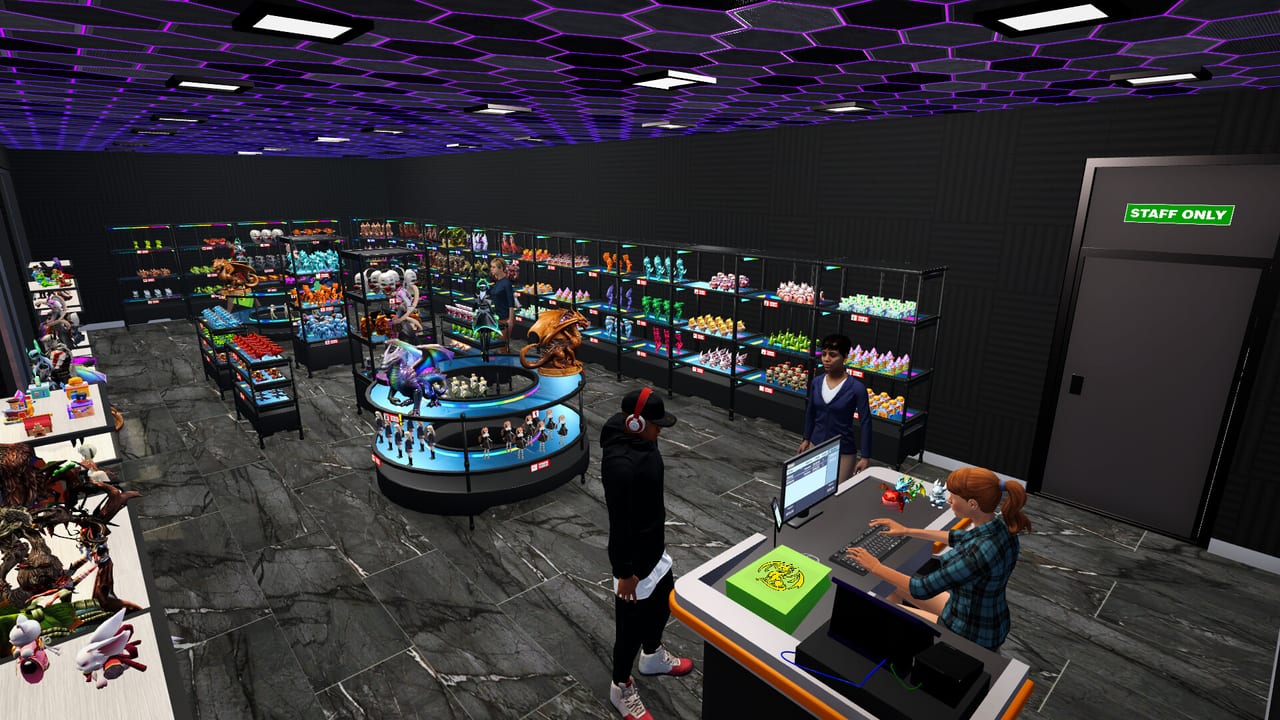
The Figures Hub is the catalog brain of Figure Shop Simulator. Printers create the product; this hub explains which figures matter, how sets group together, and why Epic and Premium lines change both prestige and pricing. Use these pages when you are choosing print queues, planning shelf stories, or chasing Complete Collection style goals.
Understanding the catalog
Figures sit on quality tiers and belong to broader sets. Customers respond to variety, completeness, and visible exclusives. A shelf packed with random commons can still underperform if popular set members are missing or if Premium red-tag pieces are buried in the warehouse. Treat merchandising as storytelling: cluster related figures, keep gaps filled, and rotate highlights when popularity stalls.
Start with Figure Sets for how standard sets behave on the floor. Move to Collection Sets when you are intentionally completing packs. Then study Epic Figures for high-end SKUs tied to Epic printer capacity.
Sets called out in patches
Community and patch discussions frequently mention themed packs. Expect to encounter Christmas Pack, Plunder Crew, Mecha Core, and Mystic Maidens. Within Mystic Maidens, named figures include Mystic, Lunelle, Nyrielle, Akirae, Velora, and Kitsura—see the dedicated Mystic Maidens page for merchandising and production notes. These names are useful search anchors when planning licenses and print priority—do not assume every set unlocks at the same shop level.
Collection completion is not only a vanity project. Full sets improve customer satisfaction signals and support achievements such as Complete Collection. Pair this hub with Complete Collections and the Achievement Checklist.
Epic and Premium merchandising
Epic figures need Epic production support—see Epic Printer and Premium Figures. Premium variants carry red tags and should be priced with intentional markup rather than standard PLA heuristics. Place them where traffic naturally looks: eye-level shop shelves, not overflow crates. Stock workers will place newly produced figures when space exists; auto refill helps keep completed rows from looking sparse mid-day.
How figures link to operations
- Empty set holes → queue specific licenses, then free tray destinations in the warehouse.
- Slow Epic progress → confirm Epic printer ownership and Printer Engineer automation.
- Weak margins on rares → revisit Pricing Strategy and Pricing Helper.
- Feedback complaints → check the comments panel after online sales unlock and compare against shelf gaps.
Suggested planning workflow
- List incomplete sets that customers already recognize from your shop.
- Prioritize missing members that finish a visible row.
- Schedule Epic or Premium runs only when filament and tray capacity are safe.
- After delivery, rearrange shelves so completed sets read as intentional displays.
- Log achievement progress so you do not overproduce duplicates while a milestone set is one figure short.
Related hubs and guides
Visit Printers Hub for how figures are manufactured, Guides Hub for operational walkthroughs, and Staff Hub if finished prints never reach the floor. Online Sales can move surplus once offline displays are coherent.
Figure Shop Simulator is distinct from similarly named figurine shop games—mechanics here revolve around 3D printing, licenses, and set-driven retail. Keeping that production identity in mind prevents wrong assumptions borrowed from other sims. Use this hub as the living catalog index, and keep it open beside your printer queue until your featured sets look complete to a walking customer.
Hub usage tips
Start on Figure Sets for philosophy, use Collection Sets as a checklist, and open Epic Figures only when hardware is ready. Avoid binge-reading Epic pages on day one—they distract from learning PLA basics on the Printers Hub.
Merchandising loop
Figures are meaningless without shelves and tags. Every figures page should send you back to Shelf Management and Pricing Strategy after you pick a target set.
Update coupling
When Steam news adds a pack, add it here in your notes and schedule printers accordingly. The figures hub stays honest only if it tracks Updates Hub drops.
Session takeaway for Figures Hub
Finish standard sets before binge-reading Epic maiden pages on day one.
When this page stops answering your current bottleneck, jump to the linked sibling articles in the same category rather than rereading the entire wiki. Figure Shop Simulator rewards focused fixes: filament, shelves, staffing, or pricing—one lever per day usually beats five half-finished remodel projects.
Frequently Asked Questions
Quick answers to the most common questions.
What figure sets should I prioritize?
Finish sets already partially stocked on visible shelves, then chase patch-featured packs like Mecha Core or Mystic Maidens.
How do Epic figures differ from standard ones?
Epic figures require Epic printer production and usually support stronger prestige pricing and collection goals.
What are red-tag Premium figures?
Premium variants are special tagged versions best displayed prominently and priced above standard market baselines.
Does completing collections help achievements?
Yes. Complete Collection style goals and related milestones reward systematic set finishing—track them in the Tools hub.