How to Play Figure Shop Simulator
A practical first-week walkthrough from tutorial printers to a stable shop floor.
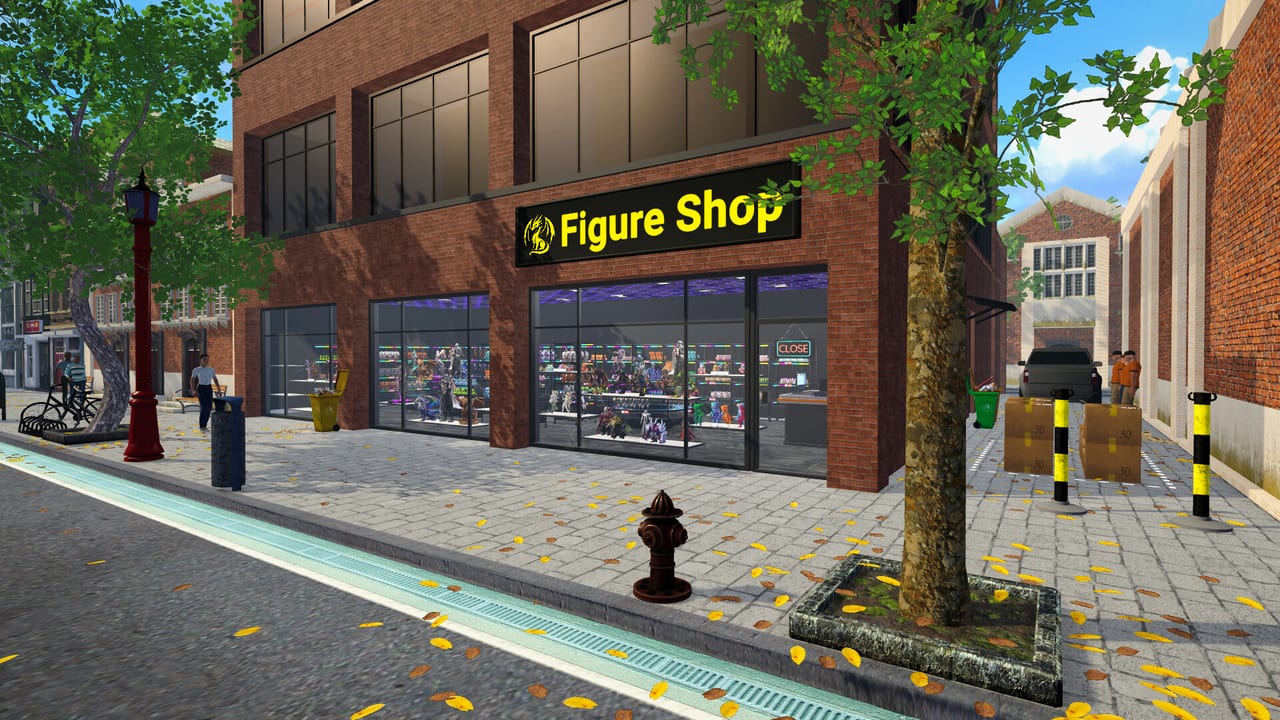
Figure Shop Simulator throws you into a retail workshop where you are the factory. Unlike reseller sims, stock comes off your 3D printers. This getting started guide covers the first-hour tutorial payoff, the daily loop, and the habits that keep popularity rising once customers arrive.
What you do on day one
Complete the tutorial prompts: open the in-game computer or printer shop flow, buy a starter printer that accepts your current model licenses, and purchase PLA filament boxes. Figures that are too large for a printer simply will not queue—size fit is a hard rule. Print a small batch, carry trays to warehouse or shop shelves, and set prices using the tag UI. Open the store, serve customers, and end the day so progress saves. The game checkpoints at day end; quitting mid-day can lose layout work, so treat closing time as part of the loop.
The core loop to master
- Keep filament stocked for every active printer.
- Queue figures that match demand and unlocked licenses.
- Move finished trays before printers idle empty.
- Place stock on visible shelves with readable prices.
- Watch satisfaction and popularity after each rush.
- End the day cleanly to lock saves and restock plans.
Market trends and customer comments (added in later patches) tell you which SKUs are missing. If people ask for a figure you do not display, print it before expanding into vanity decor.
Shelves, prices, and first upgrades
Early shelves are cramped. Prioritize clear walkways and a few complete sets over chaotic piles. Round, readable prices speed checkout when you still run the register yourself. When cash allows, buy additional printers or a better quality tier rather than decorating first—throughput beats wallpaper while trays are still scarce.
Rotate items with the placement controls (commonly R while placing) so displays face customers cleanly. For deeper shelf tactics, continue with Shelf Management. For markup logic relative to market price, open Pricing Strategy.
When to hire
Once you cannot print, stock, and checkout in the same rush, hire. Start with a Stock Worker after shelves regularly fall half empty, then a Cashier when lines steal production time. Printer workers come later—see Hire Employees and Automate Production.
Epic, Premium, and collections (preview)
Do not chase Epic printers on day one. Learn standard and advanced quality first, then read Epic Printer and Premium Figures. Collection hunting belongs in Complete Collections once warehouse space exists.
Common early mistakes
- Buying decor before a second filament buffer
- Leaving auto refill off after hiring stockers
- Ignoring warehouse trays so restockers have nothing to pull
- Overpricing trendy figures and tanking satisfaction
- Forgetting that saves happen at day end
Controllers and Steam Deck
Full gamepad and Steam Deck support arrived in the 0.3 update line. If you prefer couch play, skim Gamepad and Steam Deck after you understand the mouse-driven tutorial.
Video walkthrough
The embedded first-look video below shows an early Steam session: buying a Printex-class starter printer, stocking filament, and finishing the tutorial into free play. Use it as a visual companion, then return here for checklist habits the VOD may skip.
Next steps checklist
- Finish tutorial and buy filament reserves
- Stock at least one complete starter set on shop shelves
- Enable auto refill when you hire your first stocker
- Plan warehouse expansions before Epic sizes arrive
- Bookmark Tools Hub for pricing and achievements
With those habits, you are ready for mid-game staff and automation without drowning in empty shelves.
First week milestones
By the end of week one you should be able to open on time, print through a short queue without running dry on filament, and close the day with shelves that still look intentional. Treat popularity as a lagging indicator: it rises after several good days, not after a single lucky rush. If popularity stalls, check missing set members and empty endcaps before blaming the economy.
Keep a written (or mental) shopping list for the in-game store: filament boxes, one extra shelf, and the next license you actually have printer capacity for. Buying licenses you cannot print wastes cash that should have bought warehouse space.
Tutorial into free play
The tutorial ends when you can operate without constant prompts. That is the moment many players over-expand. Instead, run three clean days on the starter footprint. Use those days to learn how long prints take relative to customer waves. Only then add a second printer or a stock worker unlock path.
Controller players should finish one keyboard day first so prompts make sense, then switch to Gamepad and Steam Deck comfort settings.
Cashflow guardrails
- Never spend your last filament money on decor paints.
- Keep enough cash to buy two filament boxes after any furniture purchase.
- If a day ends negative, cut experimental SKUs before cutting filament.
- Revisit tags using Pricing Strategy before assuming you need more foot traffic.
Handoff to mid-game pages
When trays pile up faster than you can shelve them, open Shelf Management. When the register steals every rush, open Hire Employees. When standard printers feel solved, schedule Epic research via Epic Printer rather than impulse-buying the machine empty-handed.
Session takeaway for Figure Shop Simulator Getting Started Guide
Print a tiny buffer before your first remodel, and treat end-of-day save as a ritual.
When this page stops answering your current bottleneck, jump to the linked sibling articles in the same category rather than rereading the entire wiki. Figure Shop Simulator rewards focused fixes: filament, shelves, staffing, or pricing—one lever per day usually beats five half-finished remodel projects.
Frequently Asked Questions
Quick answers to the most common questions.
Does Figure Shop Simulator save mid-day?
Progress commonly locks when you end the day. Avoid quitting mid-shift after major shelf moves.
What should I buy first?
A fitting starter printer, filament boxes, and enough shelf space to display what you print.
Is there a free version?
Yes. Figure Shop Simulator: Prologue on Steam offers a limited free sample of the loop.
Where do I go after the tutorial?
Shelf Management and Pricing Strategy, then Hire Employees when multitasking collapses.