Figure Shop Simulator Collection Sets Reference
A practical list of highlighted packs and how to shelf them as complete stories.
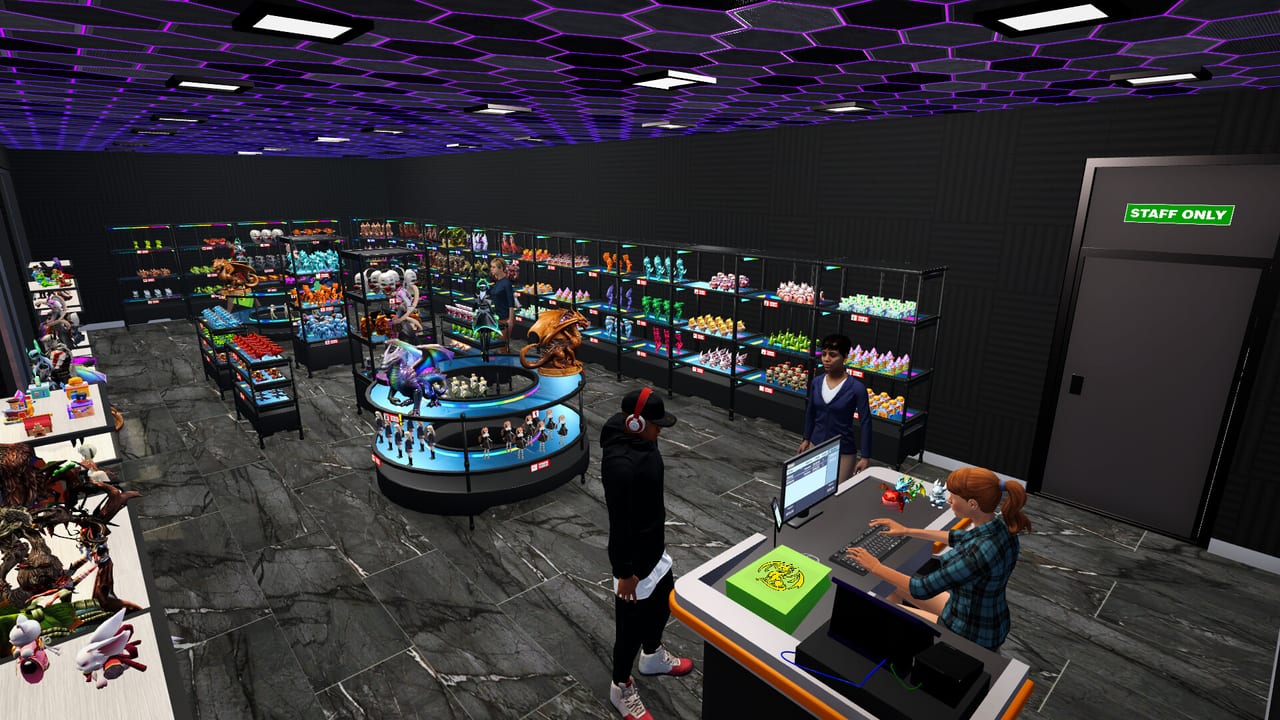
This reference page catalogs collection packs highlighted in Steam updates for Figure Shop Simulator. It is not an exhaustive datamine of every SKU, but it covers sets players actively search for after patch day.
Seasonal: Christmas Pack
Small festive models such as Christmas Cookies, Christmas Tree, Christmas Pumpkin, Santa Claus, Snow Globe, and Snowman. Great for themed endcaps during holiday play sessions.
Medium: Plunder Crew
Pirate-inspired crew including names like Captain Flamehook, Metal Mate, Deck Basher, Cannonback Duo, Treasure Seeker, and Bone Lookout. Merchandise as a single aisle story.
Large: Mecha Core
Mecha theme figures such as Pulse Striker, Vanguard Unit, Shadow Core, Aegis Frame, and Steel Howler. Needs space and larger shelves.
Epic: Mystic Maidens
Exclusive Epic set with Mystic, Lunelle, Nyrielle, Akirae, Velora, and Kitsura. Requires Epic Printer workflows. Full merchandising and production notes: Mystic Maidens.
How to use this list
- Unlock licenses and printers for the size class.
- Print a full set before advertising via decor themes.
- Keep warehouse spares for each member.
- Track completion achievements via Achievement Checklist.
More strategy: Complete Collections and Figure Sets.
How to shelf each highlighted pack
Christmas Pack: festive endcap near entrance during seasonal play; small shelves suffice.
Plunder Crew: medium aisle with warm lighting props if you own decor packs.
Mecha Core: large shelves, cooler color walls, space to walk around big stands.
Mystic Maidens: Epic furniture only; treat as gallery pieces.
Completion scoring
For each pack, track three states: licensed, printed, shelved. Achievements care about shelved reality. Menus lie if trays sit in limbo on the printer bed.
Update watching
New packs arrive through Steam news. After each patch, add a row to your checklist and decide whether it is a now-project or a later-project based on printer class readiness (Version History).
Cross links
Strategy lives in Complete Collections; production hardware in Printers Hub; merchandising in Shelf Management.
Session takeaway for Figure Shop Simulator Collection Sets List
Track licensed, printed, and shelved as three separate checklist columns.
When this page stops answering your current bottleneck, jump to the linked sibling articles in the same category rather than rereading the entire wiki. Figure Shop Simulator rewards focused fixes: filament, shelves, staffing, or pricing—one lever per day usually beats five half-finished remodel projects.
Pack-by-pack stocking notes
Christmas Pack thrives on small shelves near the door during festive playthroughs. Plunder Crew wants a medium aisle story—group Flamehook-style pirates together so collectors see completeness. Mecha Core needs large furniture and cooler wall colors if you paint interiors. Mystic Maidens demand Epic printer throughput and Epic shelves before you advertise them.
Write three columns in a notes app: licensed, printed, shelved. Achievements care about shelved trays. After each Patch Notes drop, add new rows before impulse-buying unrelated decor.
Cross-check production capacity on Epic Printer and Filament Guide whenever a pack lists large or Epic sizes.
Merchandising calendar
Week 1–2: tutorial sets only. Week 3: add Christmas or Plunder Crew as a story aisle. Week 4+: Mecha Core when large shelves exist. Epic maidens only after engineer planning. This calendar prevents filament bankruptcy and empty endcaps.
When customers praise a complete set in comments, raise tags slightly using Pricing Strategy and photograph the display for your own progress log. Completion without merchandising wastes the marketing value of the achievement.
Deep dive sidebar for Figure Shop Simulator Collection Sets List
Players searching for Figure Shop Simulator Collection Sets List usually arrive with a single pain point: empty shelves, slow Epic jobs, confusing staff, or uncertain prices. Answer that pain with one change, then measure popularity and cash across the next full day in Figure Shop Simulator. If both metrics improve, lock the habit. If not, read the sibling link that matches the new symptom instead of stacking five half-finished remodel projects.
For figures-collection-sets, write a three-line journal entry after the session: what you clicked, what resource stayed healthy, and what still broke. That journal becomes more valuable than rereading the entire wiki. Keep filament, warehouse trays, and auto refill as the universal foundation even when this page focuses elsewhere, because those three foundations silently support almost every advanced system from online orders to premium-only achievement pushes.
Finally, schedule a weekly review against Patch Notes so advice on Figure Shop Simulator Collection Sets List stays aligned with your live build. Early Access tips age quickly; 1.0 quality-of-life options can change how aggressively you chase automation. Unique closer for figures-collection-sets: lock today’s lesson into tomorrow’s opening checklist before buying more furniture.
Frequently Asked Questions
Quick answers to the most common questions.
Will more sets be added?
Gnome Games has repeatedly shipped new packs in updates—check Patch Notes after each patch.
Are names exact in every language?
Display names can localize; use in-game catalog spelling if a comment mismatches this English list.