Figure Shop Simulator Warehouse and Store Expansion
Buy space before Epic trays and online orders overflow your starter footprint.
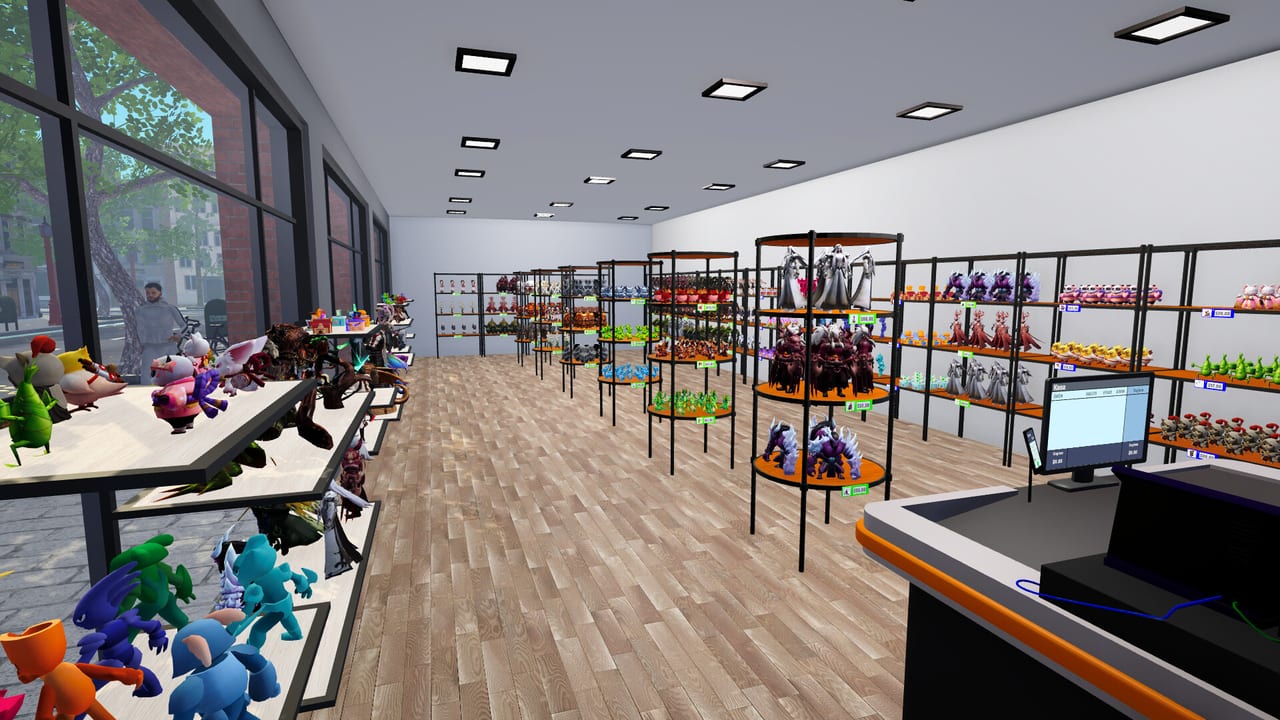
Warehouse and store expansions are how Figure Shop Simulator scales from a tutorial closet into a real factory-retail hybrid. v0.3 added warehouse expansions and Epic figure stock shelves; v0.8 pushed storage and store areas even further alongside entrance decor. This guide prioritizes what to buy and when.
Why warehouse beats vanity square footage
Shop floor sells; warehouse buffers production. Stockers need trays waiting behind the scenes (Stock Worker). If every print sits only on selling shelves, one rush plus online orders empties the building (Online Sales).
Expansion timeline
- Early: one extra shop shelf and filament buffer before any expansion vanity.
- v0.3-era tools: warehouse expansions + dedicated Epic stock shelves once Epic printers appear (Epic Printer).
- v0.8: further storage/store purchases so Mystic Maidens and large sets have room (Mystic Maidens).
- 1.0: pair new space with worker thresholds so stockers actually use the new rooms (Worker Settings, 1.0 Release Guide).
Epic stock shelves
Oversized Epic trays do not belong on cramped starter shelves. Dedicated Epic stock furniture keeps warehouse routing sane and protects Master of Perfection prep (Master of Perfection, Shelf Management).
Buy order that rarely fails
- Filament boxes and a second printer or quality tier if trays are scarce.
- Warehouse expansion before decorative entrance kits.
- Epic stock shelves when the first Epic set unlocks.
- Additional storefront bays only when walkways stay clear.
- Entrance decor last (Decorations and Paint).
Online sales and space
Online orders amplify pull rates. Expand warehouse depth before leaving the channel on permanently. If space is tight, disable online sales during the construction week.
Layout contracts
Pick a layout for a week: gallery (collections on walls), workshop-forward (printers visible), or hybrid (gallery + warehouse wing). Constant remodel resets auto refill habits and wastes expansion cash.
Cash guardrails
Never expand with your last filament budget. Keep enough cash for two PLA boxes after every area purchase (Filament Guide).
Related
Guides Hub, Printers Hub, Updates Hub.
Takeaway
Buy warehouse breath before Epic width. Space without trays is just a prettier panic room.
Measuring when you are out of space
Symptoms of undersized warehouses: printers idle because finished trays have nowhere to sit; stockers ping-pong empty-handed; online orders strip shop shelves while backroom is already full of the wrong SKUs. When two of those appear in one week, buy space before buying another vanity printer.
Epic shelf placement patterns
Put Epic stock shelves along a straight corridor from printers to shop door so workers path cleanly. Avoid dead-end alcoves behind neon props. After placement, run one day with Worker Settings on warehouse priority to fill the new furniture, then flip back to shop priority for customers.
Multi-expansion pacing
v0.8 lets you grow further than the first warehouse packs. Pace purchases: one expansion, three clean days, then another. Back-to-back expansions without restocking discipline create beautiful unused rooms. Fund filament and licenses between purchases (Filament Guide).
Storefront bays versus backroom
Extra storefront bays help when collections need contiguous displays. Extra backroom helps when production outpaces sales. Online-heavy saves lean backroom; gallery saves lean storefront. Hybrid 1.0 shops keep a buffer wing exclusively for online-reserved trays so walk-in aisles stay photogenic.
Remodel tax
Every expansion tempts a full remodel. Remodels reset auto refill vigilance and can sticky-price shelves. Budget a “settle week” after each expansion where you only stock and observe—no paint, no entrance kits (Decorations and Paint).
Patch literacy
Pre-v0.3 guides understate warehouse tools. Pre-v0.8 guides understate late space. Read Version History before trusting a 2025 layout tour on YouTube.
Frequently Asked Questions
Quick answers to the most common questions.
When were warehouse expansions added?
Major warehouse expansions and Epic stock shelves arrived in the v0.3 Steam Deck & warehouse update, with further space in v0.8.
Should I expand the shop floor or warehouse first?
Warehouse first if printers outpace shelving; shop floor first only when displays are full and walkways are already clear.
Do expansions fix popularity alone?
No. Expansions enable merchandising; popularity still needs complete sets, fair prices, and stocked shelves.