Figure Shop Simulator Figure Sets Overview
Licenses, sizes, and set identity from starter prints to seasonal packs.
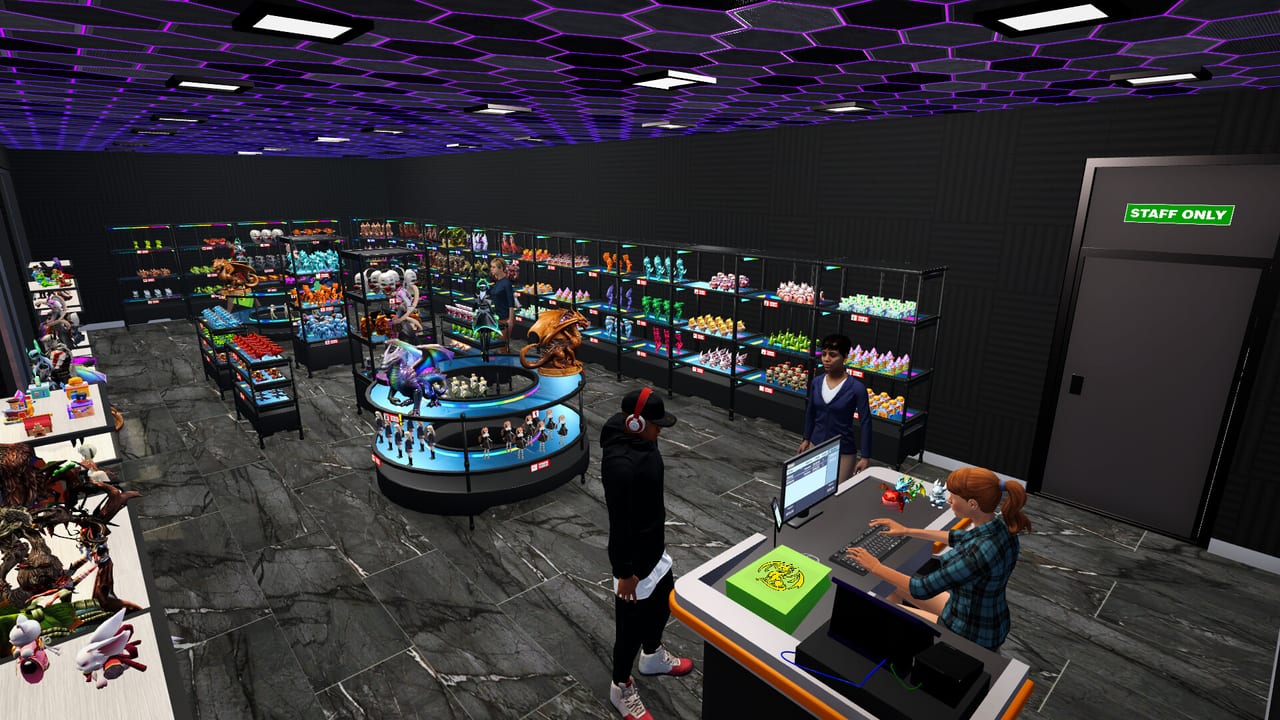
Figure sets are the SKUs that define your brand in Figure Shop Simulator. Each set clusters related models you unlock through licenses and updates. This overview helps you plan which sets to stock before specializing in Epic exclusives.
Licenses and progression
The tutorial grants early licenses. Additional model licenses expand what printers can legally produce. Always match set size to printer capacity—oversized models simply refuse to queue.
Notable packs from updates
Patch notes called out sets such as Christmas Pack (cookies, tree, snowman, and more), Plunder Crew pirate themes, Mecha Core robot forms, and Epic Mystic Maidens. Details: Collection Sets and Patch Notes.
Merchandising
Group sets on contiguous shelves so collectors spot completeness. Missing one member hurts satisfaction more than missing an unrelated filler. Pair with Complete Collections.
Size classes
Small, medium, large, and Epic sizes need matching furniture. Warehouse Epic shelves arrived in the Steam Deck update family—use them.
Related
Epic Figures, Premium Figures, Pricing Strategy.
Planning a set calendar
Pick one focus set per week. Announce it to yourself as a merchandising theme: pirate week, mecha week, holiday week. Buy licenses only for that theme plus emergency trends. This prevents the classic failure mode where every printer chases a different incomplete set.
License versus capacity
A license without printer time is a museum brochure. Before purchasing, ask whether you have a free printer bay and shelf block. If not, expand furniture first via Shelf Management.
Teaching customers your brand
Repeating the same complete sets builds recognition. Rotating too fast makes the shop feel random. Keep hero sets on endcaps for multiple days even after you unlock shinier packs.
Data hygiene
When patches add packs, append them to your mental list and to the Collection Sets checklist. Cross-check Patch Notes the same day you see a Steam news popup.
Linking production
Set identity only works if printers cooperate. Queue set members together so stockers can shelve a narrative block in one pass (Automate Production).
Session takeaway for Figure Shop Simulator Figure Sets Guide
Theme one aisle per week so licenses match printer capacity.
When this page stops answering your current bottleneck, jump to the linked sibling articles in the same category rather than rereading the entire wiki. Figure Shop Simulator rewards focused fixes: filament, shelves, staffing, or pricing—one lever per day usually beats five half-finished remodel projects.
Identity before novelty
A shop that completes three starter sets looks richer than a shop that half-prints twelve packs. Identity sells. Pick a weekly theme, buy only matching licenses, and refuse shiny distractions until trays exist.
When Steam adds packs, schedule them by printer class: small seasonal first, medium crews next, mecha and maidens last. Collection Sets is your checklist; this page is your philosophy. Production partners live under Printers Hub.
License ROI test
Before buying a license, ask: do I have a free printer bay, shelf block, and filament budget this week? If any answer is no, expand furniture first. Licenses without capacity are brochure shopping.
Teach customers your brand by repeating complete sets for several days even after unlocking shinier packs. Novelty without identity feels like a warehouse, not a boutique.
Deep dive sidebar for Figure Shop Simulator Figure Sets Guide
Players searching for Figure Shop Simulator Figure Sets Guide usually arrive with a single pain point: empty shelves, slow Epic jobs, confusing staff, or uncertain prices. Answer that pain with one change, then measure popularity and cash across the next full day in Figure Shop Simulator. If both metrics improve, lock the habit. If not, read the sibling link that matches the new symptom instead of stacking five half-finished remodel projects.
For figures-figure-sets, write a three-line journal entry after the session: what you clicked, what resource stayed healthy, and what still broke. That journal becomes more valuable than rereading the entire wiki. Keep filament, warehouse trays, and auto refill as the universal foundation even when this page focuses elsewhere, because those three foundations silently support almost every advanced system from online orders to premium-only achievement pushes.
Finally, schedule a weekly review against Patch Notes so advice on Figure Shop Simulator Figure Sets Guide stays aligned with your live build. Early Access tips age quickly; 1.0 quality-of-life options can change how aggressively you chase automation. Unique closer for figures-figure-sets: lock today’s lesson into tomorrow’s opening checklist before buying more furniture.
Frequently Asked Questions
Quick answers to the most common questions.
How do I unlock more sets?
Buy model licenses and keep up with content updates that add packs.
Should I stock every set?
Eventually for completion; early on focus on a few complete sets you can reprint reliably.