Figure Shop Simulator Printer Worker Role Guide
Automate standard production while you supervise Epic exceptions.
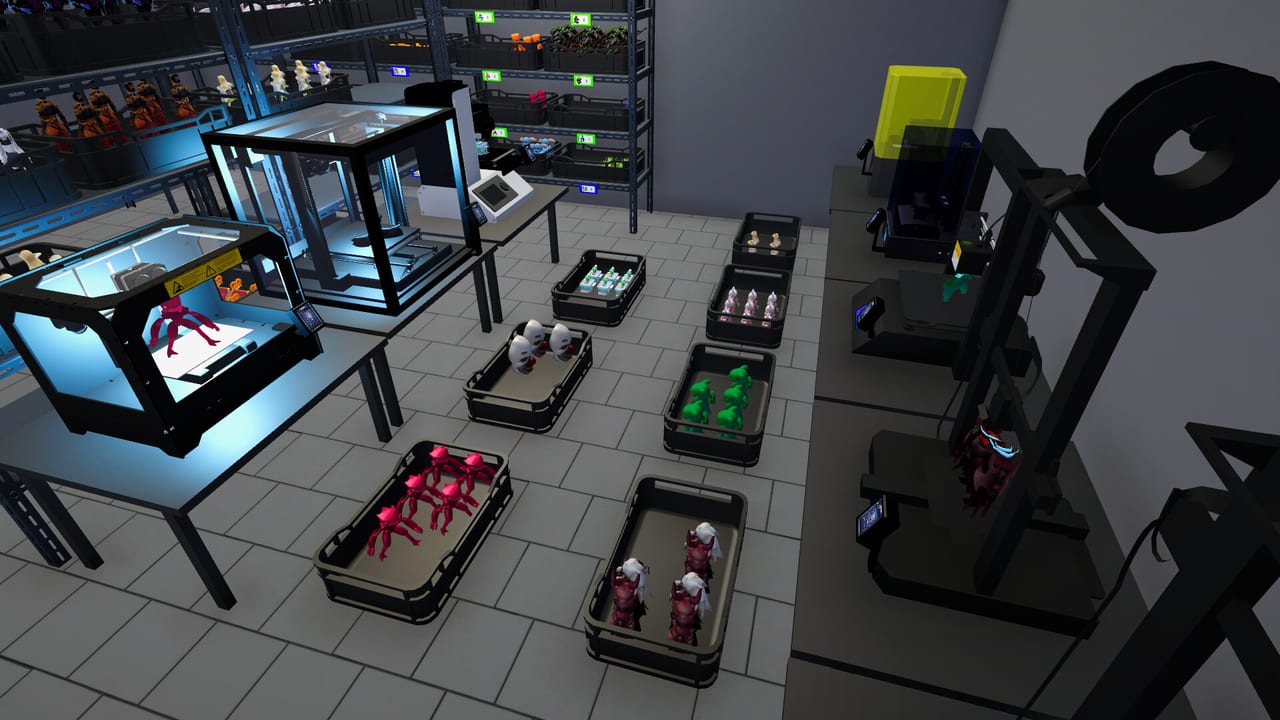
Printer workers are the production autopilot for Figure Shop Simulator. Introduced with the achievements-focused update wave, they start jobs for out-of-stock items and refill filament on eligible machines.
Capabilities
- Auto-queue missing standard catalog items
- Refill filament when printers run dry (non-Epic rules vary)
- Free you to manage trends, decor, and online orders
Limits
Epic printers often required manual filament even after printer workers arrived. Use the Printer Engineer for fuller Epic automation. Details: Automate Production and Epic Printer.
Video context
The embedded Episode 17 video walks through new workers, improved stockers, the comments panel, and Steam achievements—useful context for why printer staff matter.
Prep before hiring
Stock filament boxes, enable shelf auto refill so finished goods leave the bay, and fix pricing so automated output sells (Pricing Helper).
Related
Hire Employees, Filament Guide, Online Sales.
Queue philosophy
Printer workers shine when the missing-SKU list is short and filament is deep. If the catalog is chaotic, they thrash between trends. Narrow the active catalog before expecting elegant automation.
Epic boundary
Know the boundary by heart: standard automation versus Epic exceptions. Crossing it without an engineer creates false confidence. Keep a sticky note on your monitor if needed until Printer Engineer is hired.
Comments-driven production
Workers queue out-of-stock items; you decide which items deserve to be in the catalog at all. Use comments to prune demand you cannot serve.
Video lessons
Episode 17’s embedded footage shows the moment printer staff and achievements landed—useful historical context for why your save suddenly feels different after that patch family.
Session takeaway for Figure Shop Simulator Printer Worker Guide
Narrow the active catalog so auto-queues stop thrashing between trends.
When this page stops answering your current bottleneck, jump to the linked sibling articles in the same category rather than rereading the entire wiki. Figure Shop Simulator rewards focused fixes: filament, shelves, staffing, or pricing—one lever per day usually beats five half-finished remodel projects.
Catalog hygiene for auto-queues
Workers thrash when too many SKUs are “active but unwanted.” Prune the catalog using comments, then let auto-queues breathe. Know the Epic boundary by heart until the engineer arrives.
Episode 17 context on this page shows why achievements and printer staff landed together—use it as historical orientation, not as gospel for every filament rule in your current patch.
Prep day before hire
Stock filament boxes, enable shelf auto refill, and fix pricing so automated output sells. Hiring into chaos only prints unsellable trays. Pair with Pricing Helper and Filament Guide on the same afternoon you unlock the role.
1.0 Filament Refill Threshold
With 1.0 Worker Settings, printer workers respect a Filament Refill Threshold: when remaining filament on an eligible machine hits your percentage, they top it from purchased boxes. Keep inventory stocked—thresholds cannot invent PLA. Pair this slider with the rest of Worker Settings and remember Epic printers still need the Printer Engineer for full Epic automation; the filament threshold does not erase that boundary.
Deep dive sidebar for Figure Shop Simulator Printer Worker Guide
Players searching for Figure Shop Simulator Printer Worker Guide usually arrive with a single pain point: empty shelves, slow Epic jobs, confusing staff, or uncertain prices. Answer that pain with one change, then measure popularity and cash across the next full day in Figure Shop Simulator. If both metrics improve, lock the habit. If not, read the sibling link that matches the new symptom instead of stacking five half-finished remodel projects.
For staff-printer-worker, write a three-line journal entry after the session: what you clicked, what resource stayed healthy, and what still broke. That journal becomes more valuable than rereading the entire wiki. Keep filament, warehouse trays, and auto refill as the universal foundation even when this page focuses elsewhere, because those three foundations silently support almost every advanced system from online orders to premium-only achievement pushes.
Finally, schedule a weekly review against Patch Notes so advice on Figure Shop Simulator Printer Worker Guide stays aligned with your live build. Early Access tips age quickly; 1.0 quality-of-life options can change how aggressively you chase automation. Unique closer for staff-printer-worker: lock today’s lesson into tomorrow’s opening checklist before buying more furniture.
Frequently Asked Questions
Quick answers to the most common questions.
Do printer workers buy filament?
They refill machines from your purchased stock—you still buy boxes.
Why are Epic printers ignored?
Patch rules often excluded Epic filament from basic printer workers until the engineer role.