Figure Shop Simulator Decorations and Paint Guide
Style the shop for popularity while keeping stocker paths and shelf auto refill intact.
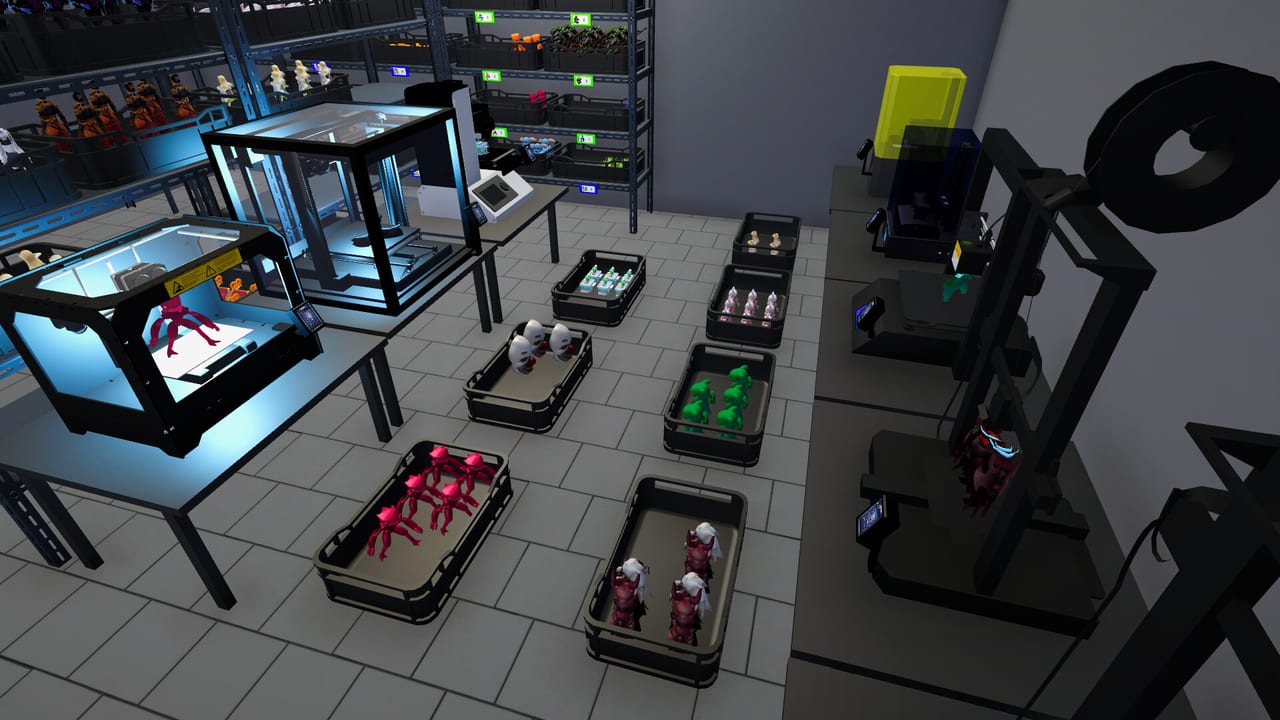
Decorations and paint landed early in Early Access (v0.2.8 paint, then expanded shelf sets and wall decor in v0.4, entrance decor with v0.8). In Figure Shop Simulator they are a popularity lever—not a substitute for filament or complete sets. This guide shows how to decorate without sabotaging logistics.
What you can customize
- Paint walls, floors, and ceilings in shop and storage areas
- Place posters, props, neon, and later entrance area decorations
- Combine with shelf furniture that carries its own popularity values
Hotfixes have corrected cases where interior decorations failed to grant popularity or shelves reported wrong values—another reason to re-check after patches (Patch Notes).
Popularity versus throughput
Paint is cheap dopamine; empty shelves are expensive. If customers complain about missing figures, spend the next day on printing and Complete Collections, not another poster wall. Decor shines after the catalog looks intentional.
Pathing rules for props
Stockers and customers need clear rectangles of floor. Corner shelves and neon look great until AI moonwalks into a display. After each decor pass, watch a Stock Worker for thirty seconds. If routing breaks, nudge props before blaming 1.0 settings (Worker Settings).
Shelf sets that double as style
v0.4 added neon-style shelves, wall-mounted and corner shelves, and large Epic-friendly furniture. Treat furniture buys as both merchandising and popularity tools (Shelf Management, Warehouse Expansion).
Achievement angles
Decoration milestones (Style / Designer-Touch style goals) appear on the Achievement Checklist. Grab a handful of posters in one session if you are hunting those badges—then stop decorating and return to production.
Budget guardrails
Never spend your last filament money on paint. Keep cash for two filament boxes after any furniture or decor spree (Getting Started). Entrance decor from later patches should wait until warehouse expansions are funded.
Night atmosphere and music
1.0’s Music Player and improved night mood make decorated shops feel better during long sessions, but they do not replace missing set members (1.0 Release Guide).
Suggested decor session
- Fix empty endcaps and incomplete sets.
- Paint one room palette (shop or storage), not both in one panic buy.
- Place 3–5 posters or props with clear aisles.
- Re-enable auto refill checks on moved shelves.
- Play one full day and read Popularity and Comments.
Related
Figures Hub, Review Hub, Updates Hub.
Takeaway
Decor is the dessert course. Serve logistics first, then paint—otherwise you own a beautiful empty shop.
Paint workflow that stays reversible
Pick a palette for the shop floor and a slightly darker palette for storage so you always know which room you are in. Paint ceilings last; they are easiest to over-spend on while customers cannot even see the detail. After painting, walk the customer path from entrance to cashier and confirm posters do not block sightlines to price tags.
Decor tiers
Tier 1 — functional beauty: lighting and shelves that also hold product. Tier 2 — wall personality: posters and framed props that grant style milestones. Tier 3 — entrance spectacle: v0.8 entrance decorations that impress before the door opens. Climb tiers only when the previous tier did not break pathing or cashflow.
Measuring decor ROI
After a decor session, ignore the screenshot urge for one full day. Read comments and popularity the next evening (Popularity and Comments). If comments still name missing figures, your decor ROI is negative—print those SKUs before buying another poster pack.
Pairing with expansions
Entrance decor looks best after warehouse and store expansions exist; otherwise props crowd the tutorial footprint (Warehouse Expansion). Likewise, Epic furniture from later shelf packs should be placed with aisle width for stockers, not only for camera angles.
Long-session comfort
1.0 music and night atmosphere make decorated shops nicer for three-hour sessions, but comfort is not progression. Set a timer: twenty minutes of decorating, then back to printers. That split keeps Figure Shop Simulator from becoming a wallpaper simulator.
Closing loop
Decor supports popularity and pride. Logistics pay the bills. Keep that order and your shop stays both pretty and profitable.
Frequently Asked Questions
Quick answers to the most common questions.
When could you first paint the shop?
Paint for walls, floors, and ceilings arrived with the Epic & decorations update line (v0.2.8 era).
Why didn’t my decorations raise popularity?
Some Early Access builds had bugs; update, restart the day, and confirm shelves and sets are also healthy.
Should I decorate before hiring?
Usually no—hire stockers/cashiers when multitasking collapses, then decorate after shelves stay filled.